For the complete documentation index, see llms.txt. Markdown versions of all docs pages are available by appending .md to any docs URL.
Virtual MCP
Verified : Code examples on this page have been automatically tested and verified.Federate multiple MCP servers into a unified virtual MCP backend
Federate tools of multiple MCP servers on the agentgateway by using MCP multiplexingMultiplexA connection method for MCP servers that allows multiple MCP sessions to share a single transport connection, improving efficiency..
About multiplexing
Multiplexing combines multiple MCP servers (targets) within a single backend into one unified MCP server. All targets are exposed together so that clients can access tools from all targets simultaneously. By default, when a backend has more than one target, tool names are prefixed with the target name (e.g., time_get_current_time, everything_echo) to avoid collisions. You can change this behavior with the prefixMode field, described in Tool name prefixing.
Multiplexing is a property of putting several targets in one backend, not of the top-level mcp section. You get the same result from routes[].backends[].mcp. To expose each MCP server on its own path instead, give each one its own backend. For help choosing, and for how the choice affects authentication, see MCP configuration modes.
Example multiplexing configuration
mcp:
  port: 3000
  # Multiple targets for multiplexing
  targets:
  - name: time
    stdio:
      cmd: uvx
      args: ["--with", "mcp<2", "mcp-server-time"]
  - name: everything
    stdio:
      cmd: npx
      args: ["@modelcontextprotocol/server-everything"]
Multiplexing vs. load balancing Although configured similarly, multiplexing is different than load balancing. Load balancing distributes requests across multiple backends. Each request goes to one backend, selected based on weight. You configure load balancing with multiple backends in a route (instead of multiple targets). For more information, see Backend routing.
Example load balancing configuration
routes:
  - backends:           # Multiple backends = load balancing
      - mcp:
          targets:
            - name: everything
              stdio:
                cmd: npx
                args: ["@modelcontextprotocol/server-everything"]
        weight: 1
      - mcp:
          targets:
            - name: everything
              stdio:
                cmd: npx
                args: ["@modelcontextprotocol/server-everything"]
        weight: 1
Before you begin
Configure the agentgateway
Download a multiplex configuration for your agentgateway.
curl -L https://agentgateway.dev/examples/mcp-multiplex/config.yaml -o config.yamlReview the configuration file.
cat config.yamlbinds: - port: 3000 listeners: - routes: - backends: - mcp: targets: - name: time stdio: cmd: uvx # mcp-server-time requires `mcp>=1.23.0` with no upper bound, so uvx # resolves the SDK to 2.x, which renamed McpError to MCPError. The # server then fails to import and this target never starts, which # fails initialize for the whole multiplexed backend. Constrain the # SDK until mcp-server-time supports mcp 2.x. args: ["--with", "mcp<2", "mcp-server-time"] - name: everything stdio: cmd: npx args: ["@modelcontextprotocol/server-everything"]- Listener: An HTTP listener is configured and bound on port 3000. It includes a basic route that matches all traffic to an MCP backend.
- Backend: The MCP backend defines two targets:
timeandeverything. Note that the target names cannot include underscores (_). These targets are multiplexed together and exposed as a single unified MCP server to clients. All tools from both targets are available, prefixed with their target name.
Optional: To use the agentgateway UI playground later, add a
corspolicy to the route. Replace the contents of yourconfig.yamlfile with the following complete example, which keeps both targets and adds the policy. The config automatically reloads when you save the file.# yaml-language-server: $schema=https://agentgateway.dev/schema/config gateways: default: port: 3000 routes: - policies: cors: allowOrigins: ["*"] allowHeaders: ["*"] exposeHeaders: ["Mcp-Session-Id"] backends: - mcp: targets: - name: time stdio: cmd: uvx # Constrain the MCP SDK until mcp-server-time supports mcp 2.x. args: ["--with", "mcp<2", "mcp-server-time"] - name: everything stdio: cmd: npx args: ["@modelcontextprotocol/server-everything"]Run the agentgateway.
agentgateway -f config.yaml
Verify access to tools
Open the agentgateway UI to view your listener and target configuration.
From the navigation menu under MCP, click Tool Playground.
If you see a banner prompting you to allow browser access, click Apply CORS. This adds the UI’s origin to the MCP CORS policy so the playground can open a session, and the configuration reloads automatically.
Click Initialize. The agentgateway UI opens an MCP session and lists the tools that are exposed across all targets in the backend.
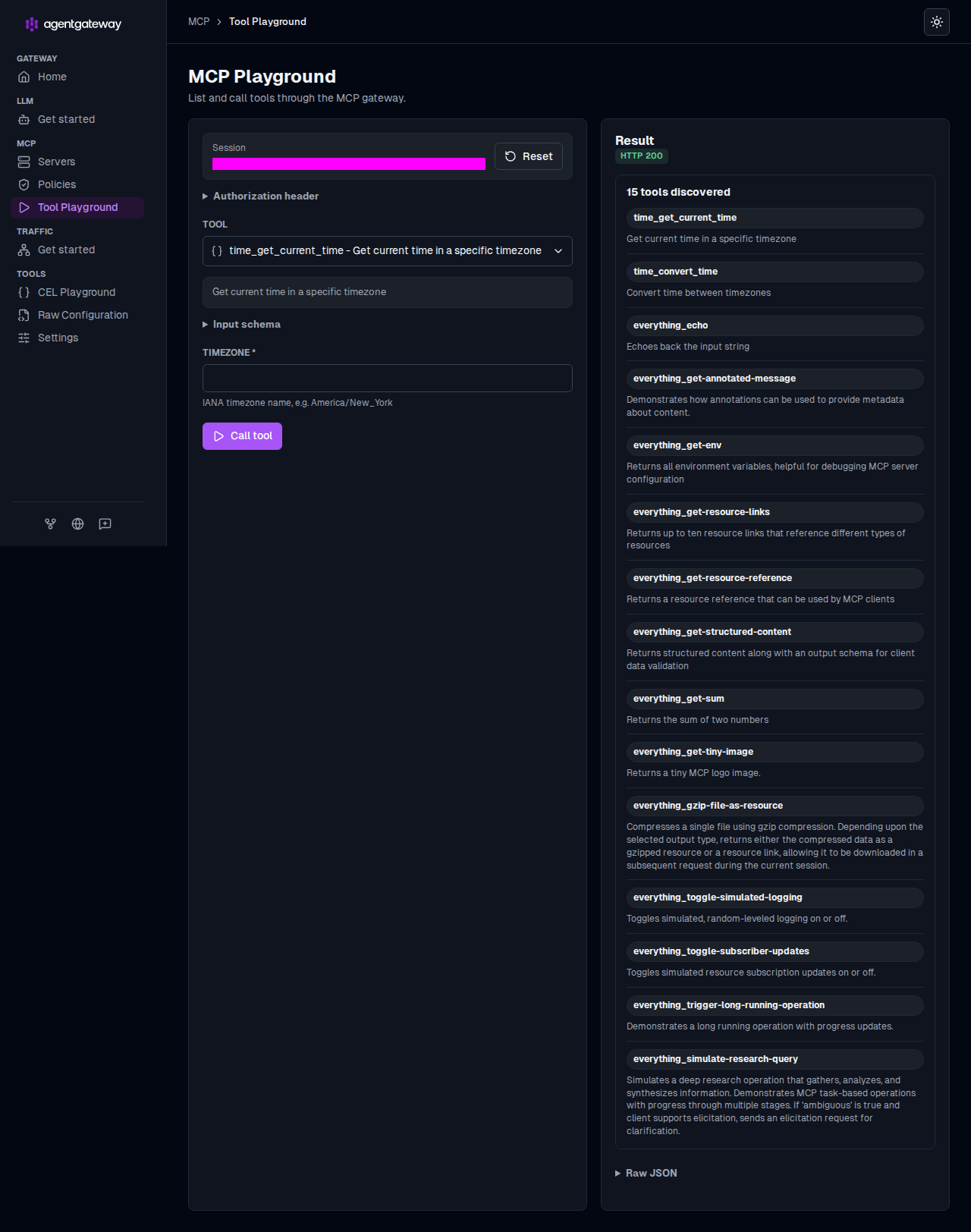
Verify that the Result panel reports the discovered tools and that each tool name is prefixed with its target name, such as
everything_echoandtime_get_current_time. You now have a federated view of the tools from every target in the backend.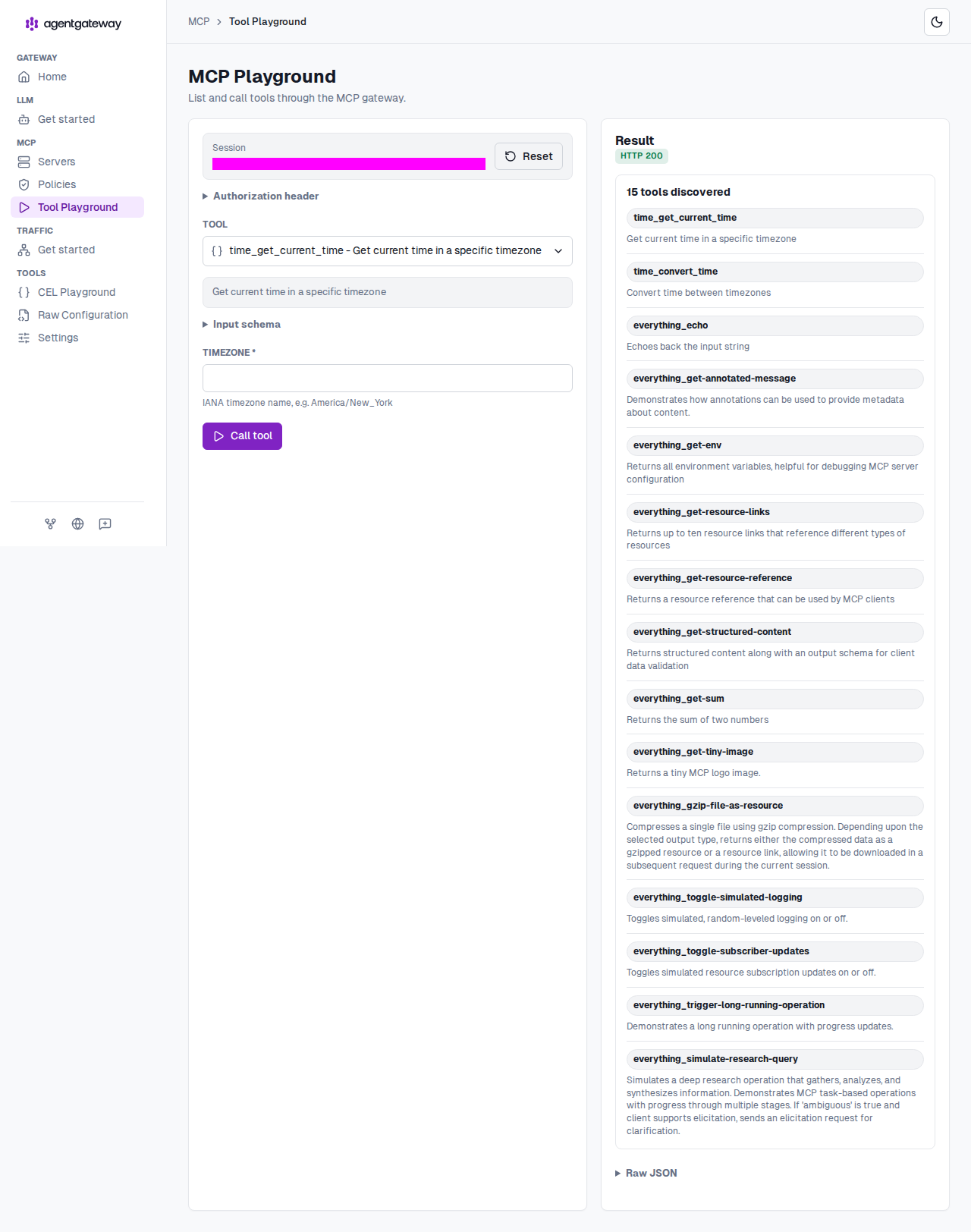
Verify access to a tool from the
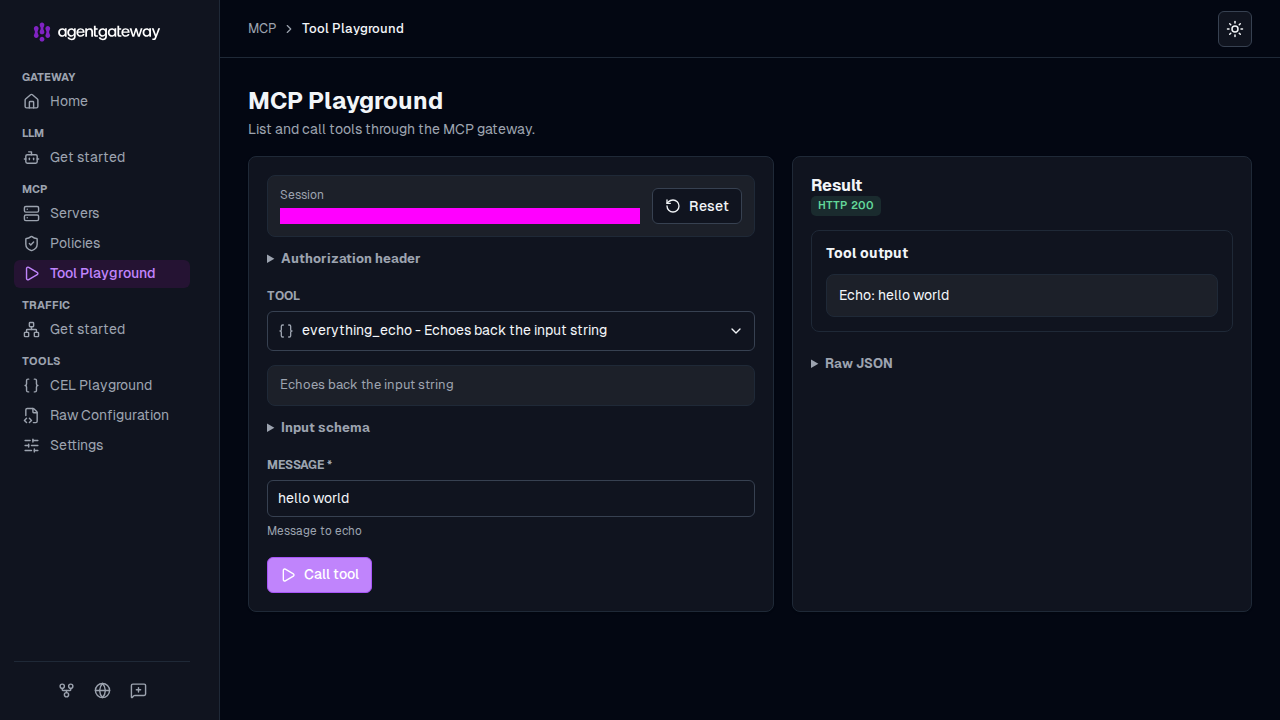
everythingtarget.From the Tool dropdown, select the
everything_echotool.In the Message field, enter any string, such as
hello world, and click Call tool.Verify that the Result panel returns
HTTP 200and that your message is echoed in the Tool output.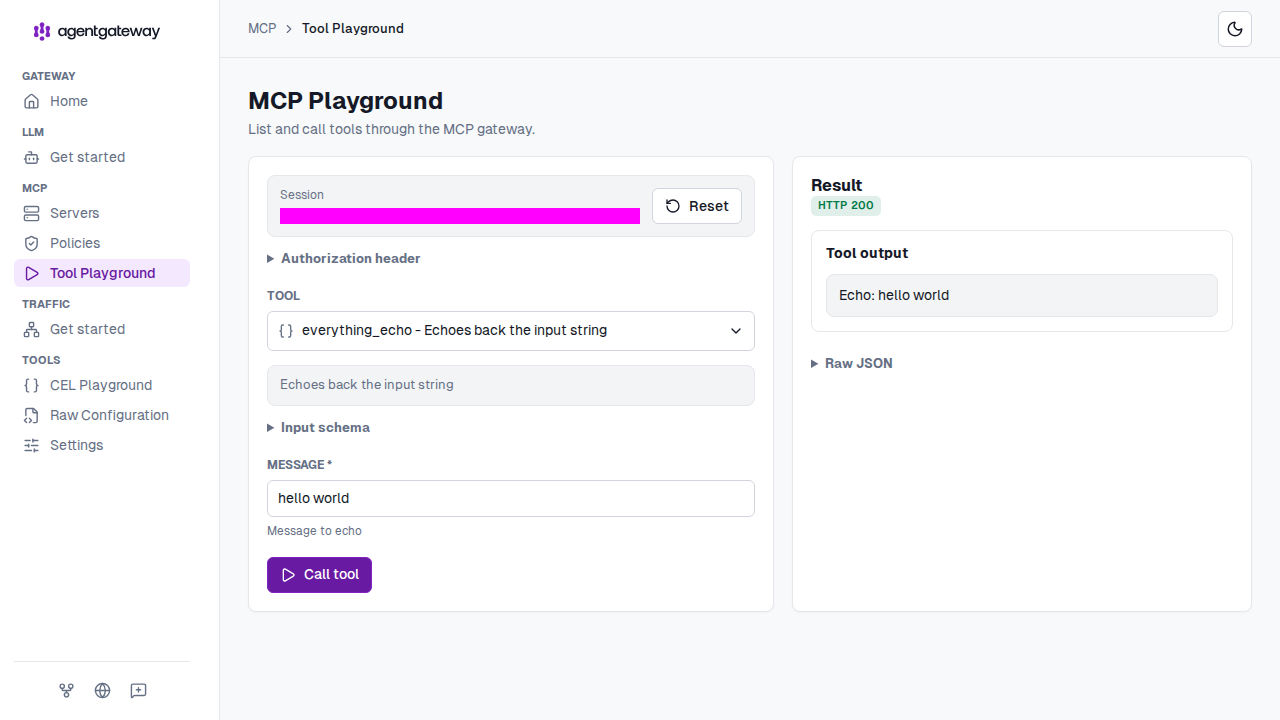
Verify access to a tool from the
timetarget.From the Tool dropdown, select the
time_get_current_timetool.In the timezone field, enter a timezone, such as
America/New_York, and click Call tool.Verify that the Result panel returns
HTTP 200with the current time in the Tool output.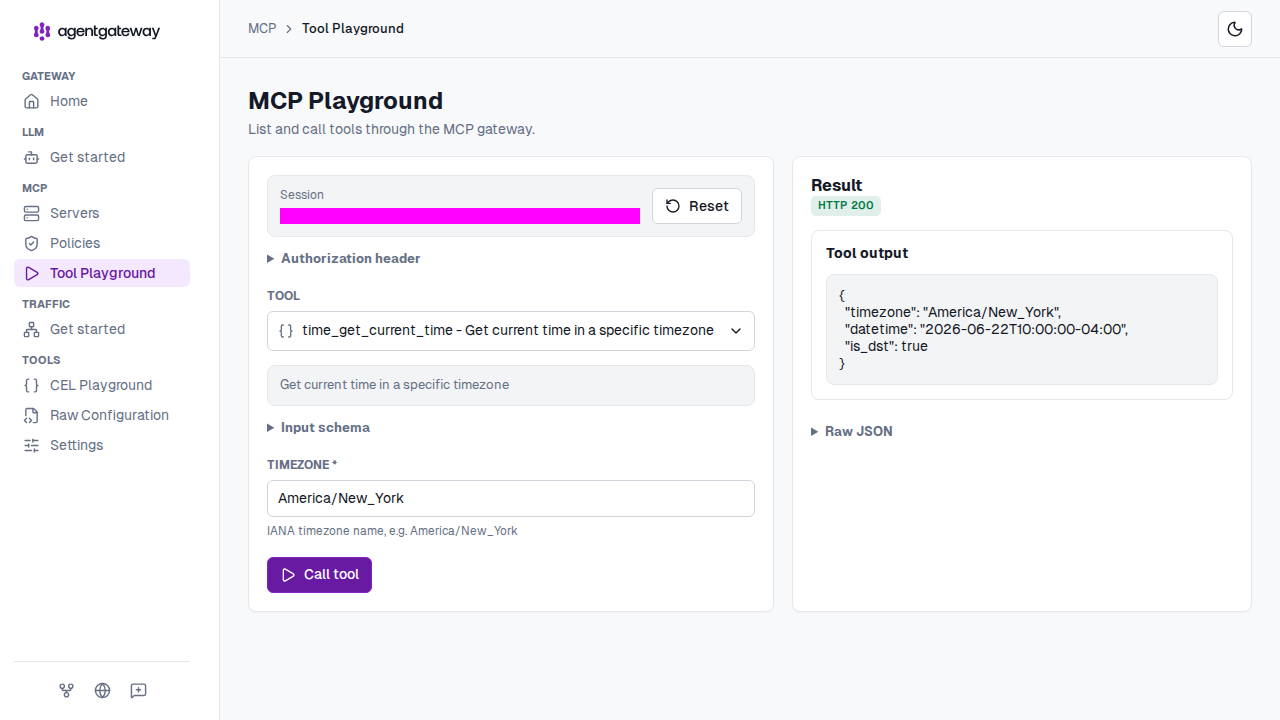
Tool name prefixing
When you multiplex multiple targets, agentgateway namespaces tool and prompt names with the target name so that identical names from different servers do not collide. Resource URIs retain target routing information and are unaffected. Control this behavior with the prefixMode field on the MCP configuration.
prefixMode | Behavior |
|---|---|
conditional (default) | Prefix tool and prompt names only when the backend has more than one target. |
always | Always prefix names, even when the backend has a single target. |
never | Never prefix names. Calls are routed by looking up which target serves the name, so names must be unique across all targets. |
Use never when clients need to call tools by their plain names, such as for MCP Apps that issue tool calls from a rendered UI. Because unprefixed names must be unique, agentgateway fails to start if two targets expose the same tool name in this mode.
# yaml-language-server: $schema=https://agentgateway.dev/schema/config
mcp:
  port: 3000
  prefixMode: never
  targets:
  - name: time
    stdio:
      cmd: uvx
      args: ["--with", "mcp<2", "mcp-server-time"]
  - name: everything
    stdio:
      cmd: npx
      args: ["@modelcontextprotocol/server-everything"]
Note
The time target pins the MCP Python SDK with --with mcp<2 because mcp-server-time does not yet support version 2.x of the SDK. Without the constraint, the target fails to start. Drop the constraint after mcp-server-time adds support.
Target conditions
Set condition on an MCP target to include it only when a CEL expression returns true. Omit condition to always include the target. A condition requires at least two configured targets.
The expression can read request attributes, such as headers, and mcp.target.name, the target under evaluation. With authentication configured, it can also read the authenticated identity.
Agentgateway evaluates conditions before contacting targets. The mcpAuthorization policy filters list responses after agentgateway contacts the targets. See About MCP guardrails to compare the filtering options.
If every condition returns false, clients see an empty virtual MCP server.
The following example always includes the everything target and includes the time target only when the request has the header x-include-time: true.
# yaml-language-server: $schema=https://agentgateway.dev/schema/config
mcp:
  port: 3000
  targets:
  - name: everything
    stdio:
      cmd: npx
      args: ["@modelcontextprotocol/server-everything"]
  - name: time
    condition: '"x-include-time" in request.headers && request.headers["x-include-time"] == "true"'
    stdio:
      cmd: uvx
      args: ["--with", "mcp<2", "mcp-server-time"]
Configure your MCP client to send x-include-time: true on its requests, including initialization, to expose tools such as time_get_current_time alongside everything_echo. Without that header, or with a different value, only the everything target participates.
Keep the following behaviors in mind when you write target conditions:
- Evaluation timing: In stateful mode (the default), conditions run at session initialization. The selected targets apply to all later requests in that session. Conditions run again if agentgateway rebuilds the session from its session ID, such as on another replica. In stateless mode, conditions run on every request.
- Stable names: Tool and prompt names keep their target-name prefix even when only one target remains.
- Excluded targets: Their tools are absent from lists. Calls to those tools fail because the target is not part of the session.
- Evaluation errors: Agentgateway excludes the target if its condition fails to evaluate, such as when it reads a missing JWT claim.
| Field | Description |
|---|---|
mcp.targets[].condition | Optional CEL expression that controls whether the target participates in the virtual MCP request. The expression must return a boolean value. |
mcp.target.name | Name of the MCP target for the current target-scoped operation, including condition evaluation. |
Server information overrides
When you multiplex multiple targets, the client receives the gateway MCP serverInfo values and instructions. To customize that metadata, set the server block on the MCP configuration. The override applies only to multiplexed targets. A backend with one target keeps the target server’s normal metadata.
# yaml-language-server: $schema=https://agentgateway.dev/schema/config
mcp:
  port: 3000
  server:
    name: company-mcp-gateway
    version: "2026.09"
    title: Company MCP Gateway
    instructions: "Use this gateway to access approved internal MCP tools."
  targets:
  - name: time
    stdio:
      cmd: uvx
      args: ["--with", "mcp<2", "mcp-server-time"]
  - name: everything
    stdio:
      cmd: npx
args: ["@modelcontextprotocol/server-everything"]| Field | Description |
|---|---|
mcp.server | Optional overrides for the MCP serverInfo response and gateway instructions in initialize and server/discover responses. Omit this block to keep the default values. |
mcp.server.name | Value to report in serverInfo.name. Set this field together with mcp.server.version. The configuration is invalid when only one of the two fields is set. |
mcp.server.version | Value to report in serverInfo.version. Set this field together with mcp.server.name. The configuration is invalid when only one of the two fields is set. |
mcp.server.title | Optional value to report in serverInfo.title. You can set this field without mcp.server.name or mcp.server.version. |
mcp.server.instructions | Gateway instructions preamble to report to clients. When upstream targets also return instructions, the merged target instructions start with this value. |
Next steps
- Apply different policies to different MCP targets with MCP target policies.